01 / 06
Consultation
Notes that keep up with you.
Clinical notes, vitals, diagnoses, observations and advice, on forms configured for your clinic and specialty.
General CARE demo · features depend on configuration.
CARE ClinicThe open-source Care platform, on your clinic’s own computer
The whole clinic on one computer. No licence fees, no subscription, and patient records on a computer your clinic controls.
Free. Open source. Built on Care.
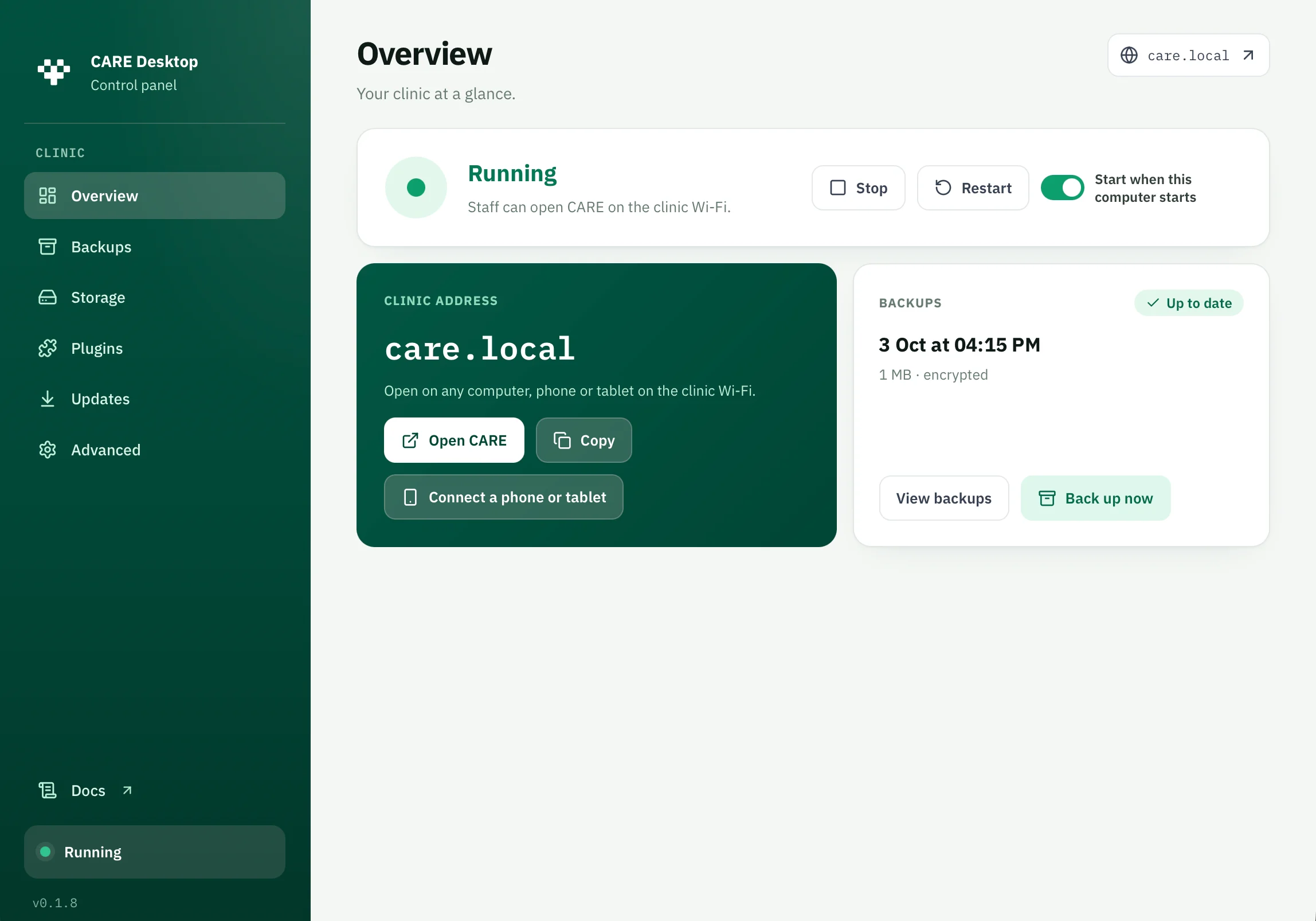
Screenshots include version 0.1.8 with the earlier CARE Desktop name. Interface details vary by version; personal file paths are redacted.
CARE Clinic is free, open-source clinic management software for small clinics. One installer sets up the whole system on a clinic computer, from patient records, appointments, prescriptions and billing to the database, file storage and automatic encrypted backups. Staff connect from other computers on the clinic Wi-Fi, and the core clinic keeps working without internet after online setup, while the host stays awake, runs CARE and is reachable on the local network.
Free clinic management software, in the plain sense: nothing to pay to download, install or keep using. There is no licence fee, no software subscription and no trial that ends. Open Healthcare Network Foundation releases it under the MIT licence.
The software is free. A computer, backup storage, installation help, support and connected services such as SMS may cost money.
Care, in motion
Every step of the visit lands on the same patient timeline, so the front desk, the consulting room and the billing counter see one record.
These are general CARE platform demos, not recordings of the default Clinic installation. Screens, forms and reports vary by version and configuration. Hospital workflows and integrations shown may need additional setup, plugins or online services.
Notes that keep up with you.
Clinical notes, vitals, diagnoses, observations and advice, on forms configured for your clinic and specialty.
General CARE demo · features depend on configuration.
Forms that fit your practice.
Configure questionnaires and clinical forms for your clinic and specialty, without changing Care’s core.
General CARE demo · features depend on configuration.
Orders and results, on the record.
Lab orders and results linked to the visit, so a report is never lost in a drawer.
General CARE demo · features depend on configuration.
Dispense and count.
Dispensing linked to prescriptions, with stock levels, expiry review and alerts.
General CARE demo · features depend on configuration.
Bill at the desk.
Service charges, invoices, payments and receipts connected to the visit.
General CARE demo · features depend on configuration.
Reports, from the same record.
Generate reports from recorded clinical data using the templates configured for your clinic. Available reports depend on your setup.
Illustration only. Choose report templates during clinic setup.
Also in the box
The day, at a glance.
Appointment slots, walk-ins and a visit queue, so reception always knows who is next.
Every patient, one record.
Demographics, identifiers, contact details and patient search, with each visit added to the same timeline.
Clear and complete.
Medication requests with dosage instructions, ready to print or hand to dispensing.
The next visit, already planned.
Record follow-up advice and plan the next appointment. Patient SMS or push reminders need compatible plugins and configured services; they are not included by default.
CARE Clinic
The same open-source Care platform that hospitals and public-health programmes run, packaged for a single clinic computer, with a control panel that keeps it running, backed up and up to date.
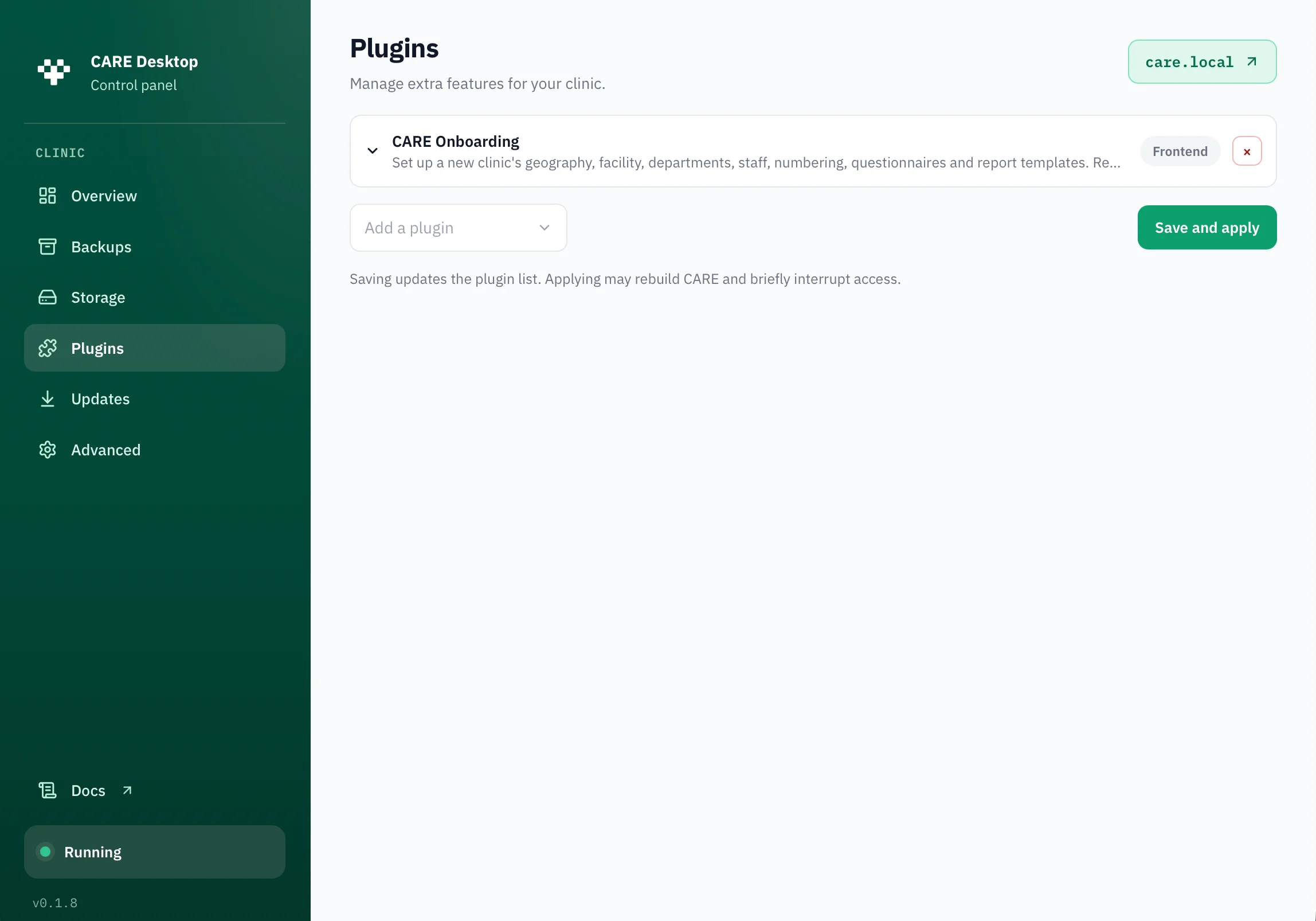
Plugins extend CARE without changing its core. The updated catalog focuses on CARE Onboarding, enabled by default for new clinics. Manage compatible additions in the control panel’s Plugins tab.
A guided start for your clinic.
Walks a new clinic through its location, facility, departments, staff, numbering, questionnaires and report templates.
On by default for new clinics; needs internet
CARE Onboarding is hosted online, so staff browsers need internet to load it. Connected services may have separate terms and costs. Existing saved and custom plugins are preserved, not automatically uninstalled when the catalog changes.
Release note, checked 4 October 2026: the updated source catalog contains only CARE Onboarding. The latest published release, v0.1.9, still includes the older catalog.
The Care platform’s plugin ecosystem reaches national rails, AI documentation, labs, pharmacy, imaging, payments and messaging. A technical partner can add compatible CARE plugins as custom plugins, with the configuration, dependencies and external services they require.
Save and apply needs a healthy, running clinic. Backend changes can rebuild and restart CARE, briefly interrupting staff; frontend-only changes sync registrations for the next page load. Plugins does not ask for the CARE Clinic admin password, so restrict access to trusted staff.
Install only trusted plugins and keep backups. Recovery can restore configuration and images, but cannot undo arbitrary database migrations or changes in external services.
Updates
CARE software updates follow your configured backend and frontend source branches, with builds prepared in the background. Install now may interrupt staff; Later queues a prepared update for the next clinic start. Plan changes outside consultation hours.
CARE Clinic application updates are separate. The clinic can keep running while the desktop app updates, and the app may hand off to an operating-system installer. Follow its prompts and confirm the result; opening an installer is not proof that it finished.
The plugin catalog comes with the desktop app. After upgrading, catalog source changes reach existing plugin settings on the next Save and apply in Plugins. Hosted frontend bundles are fetched separately by staff browsers. There is no single update-everything action.
Read the update workflow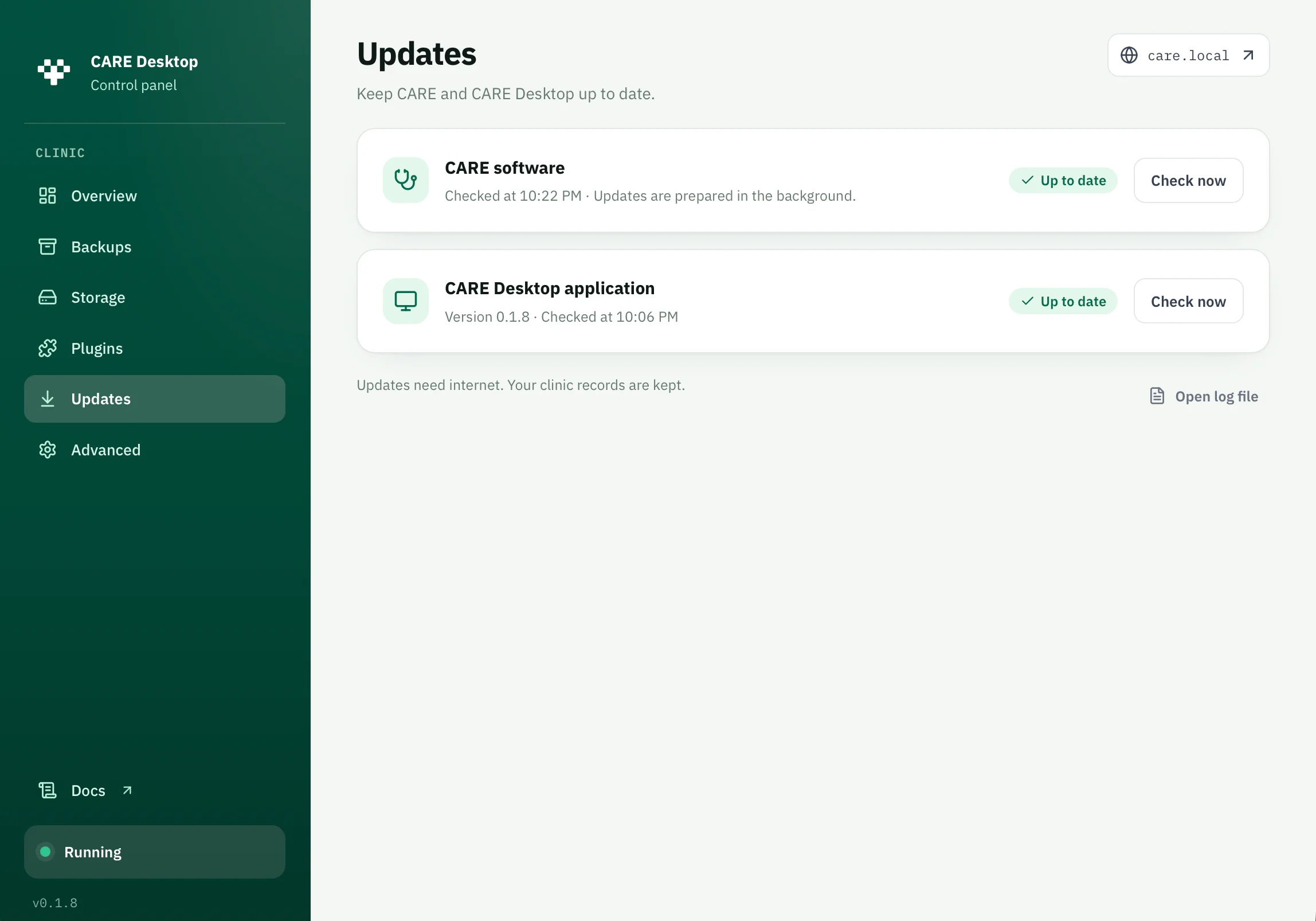
The clinic database, files and backups live on the computer you choose. Your clinic decides who has access and where the backups go. There is no Care-hosted account between your clinic and its records.
CARE Clinic itself has no usage analytics or crash reporting. Installation downloads and automatic update checks use internet. Dependencies, hosted plugins and configured providers have their own network activity and privacy policies.
After device setup, staff reach CARE over HTTPS using a clinic-issued certificate. Connect only on a trusted clinic network and complete certificate approval. A web application firewall adds another layer of protection.
Backups run at a 24-hour interval while the backup service is running, not at a fixed nightly time. Keep the chosen destination accessible. Set retention, back up now or restore from a file; keep an off-device copy and test a restore.
Save and verify the private PEM recovery file to decrypt backups. Six single-use codes reset the CARE Clinic admin password, not staff logins, and cannot decrypt backups. Keep both secure and separate from the host and backups. Protected settings, restore and uninstall require the admin password.
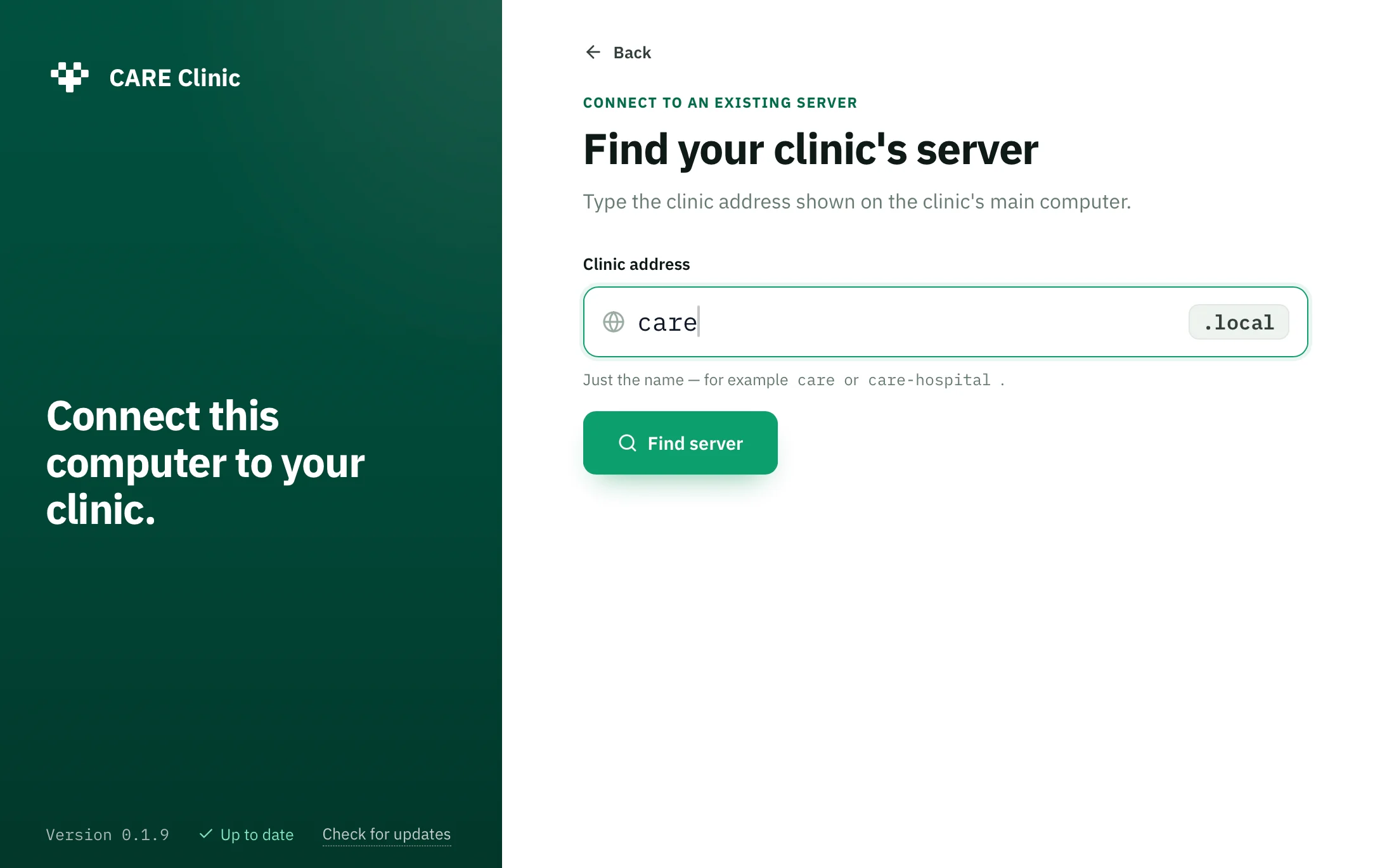
Host the clinic on one computer. Reception, the consulting rooms and the billing counter connect from their own Mac or Windows computers over the clinic Wi-Fi. First find the clinic, then choose Connect and approve certificate installation and any operating-system prompts. Clients do not need Docker or Git, but do need this device setup and a trusted clinic network.
No per-user licence. Capacity depends on the host computer and the network.
Phones and tablets. “Connect phone or tablet” in the control panel shows a QR code that opens http://<clinic>.local/setup. Follow the device’s certificate installation and trust steps before opening CARE over HTTPS. Scanning the QR code alone does not establish trust.
After setup, the core clinic runs on the local network with no internet connection while the host is awake, running CARE and reachable on the clinic LAN. Staff devices are not independent offline copies. Internet is needed to install, to update, to load hosted plugins and for the online services you switch on.
Download it, run setup on the clinic computer, and the wizard takes you through it. Internet is required: setup downloads prerequisites such as Git and Docker through Rancher Desktop, WSL 2 on Windows, and CARE sources, images and dependencies. Installation time varies.
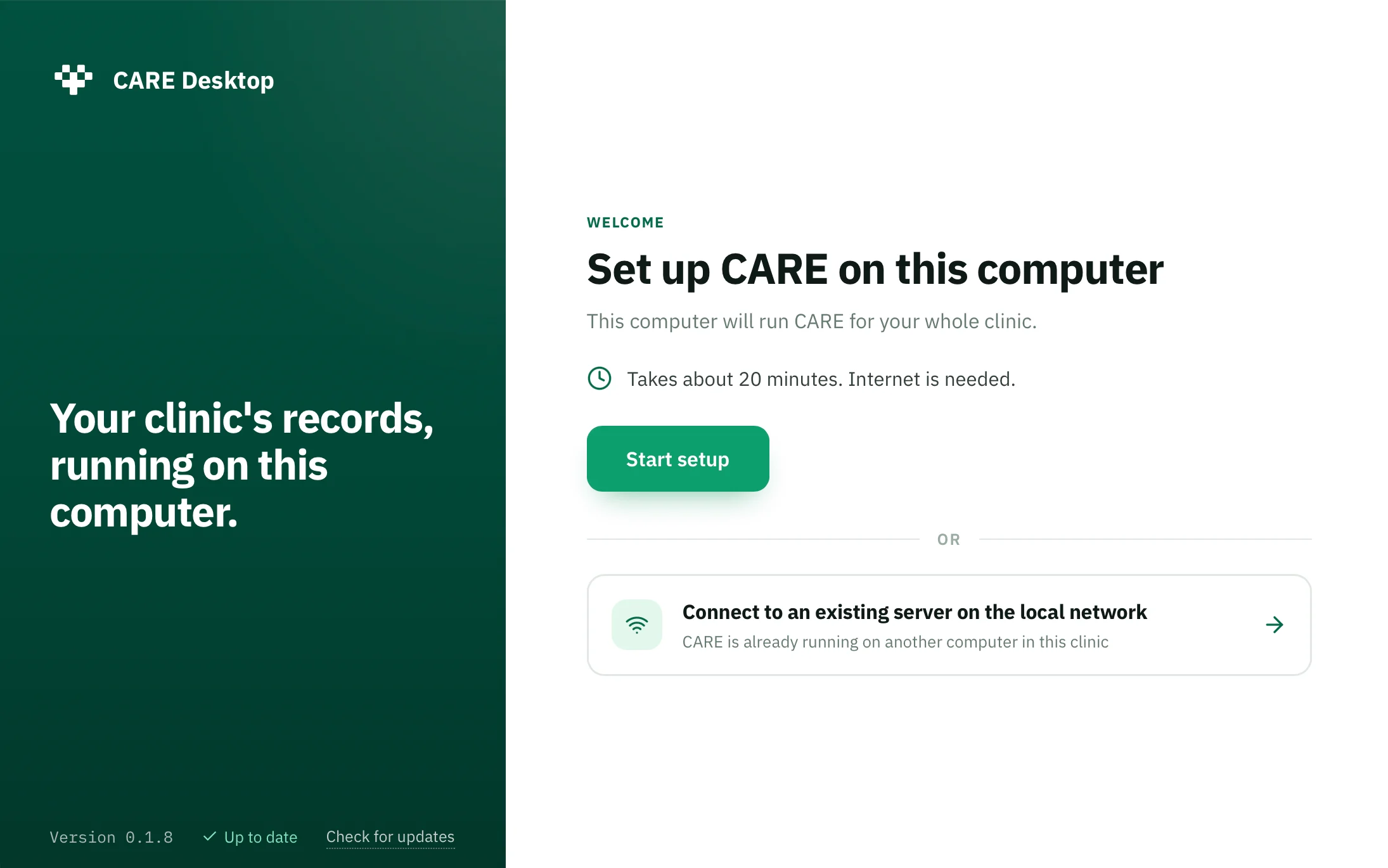
Get CARE Clinic for Mac or Windows.
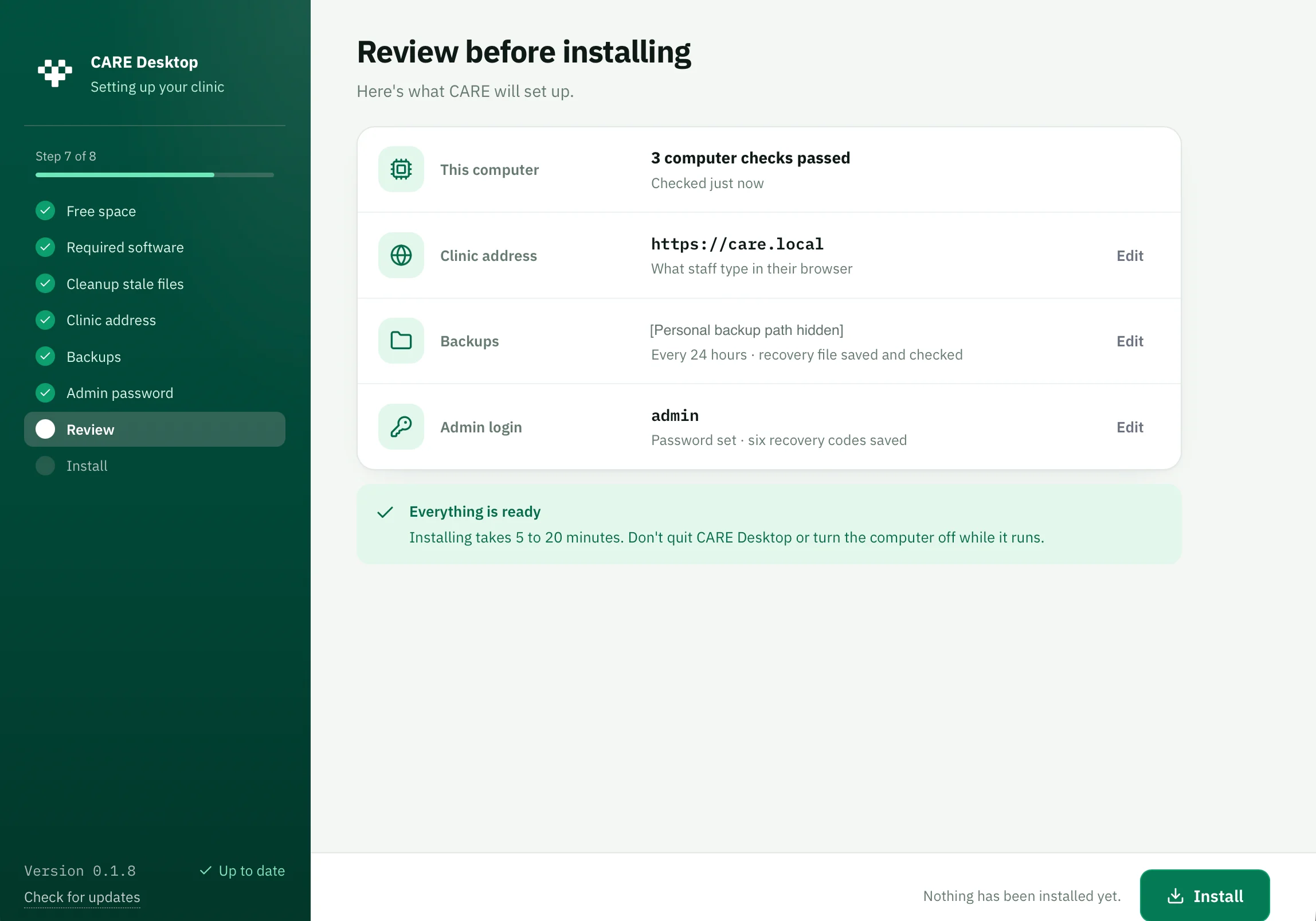
Choose a clinic address and backup folder, save and verify the PEM backup recovery file, then set an admin password and save six recovery codes before installation. Setup downloads required software and builds CARE; keep the computer online and follow any permission prompts.
On a trusted clinic network, choose “Connect to an existing server on the local network” and find the clinic by its address. Review it, choose Connect and approve certificate setup. Phones and tablets use the QR setup page and follow its certificate instructions.
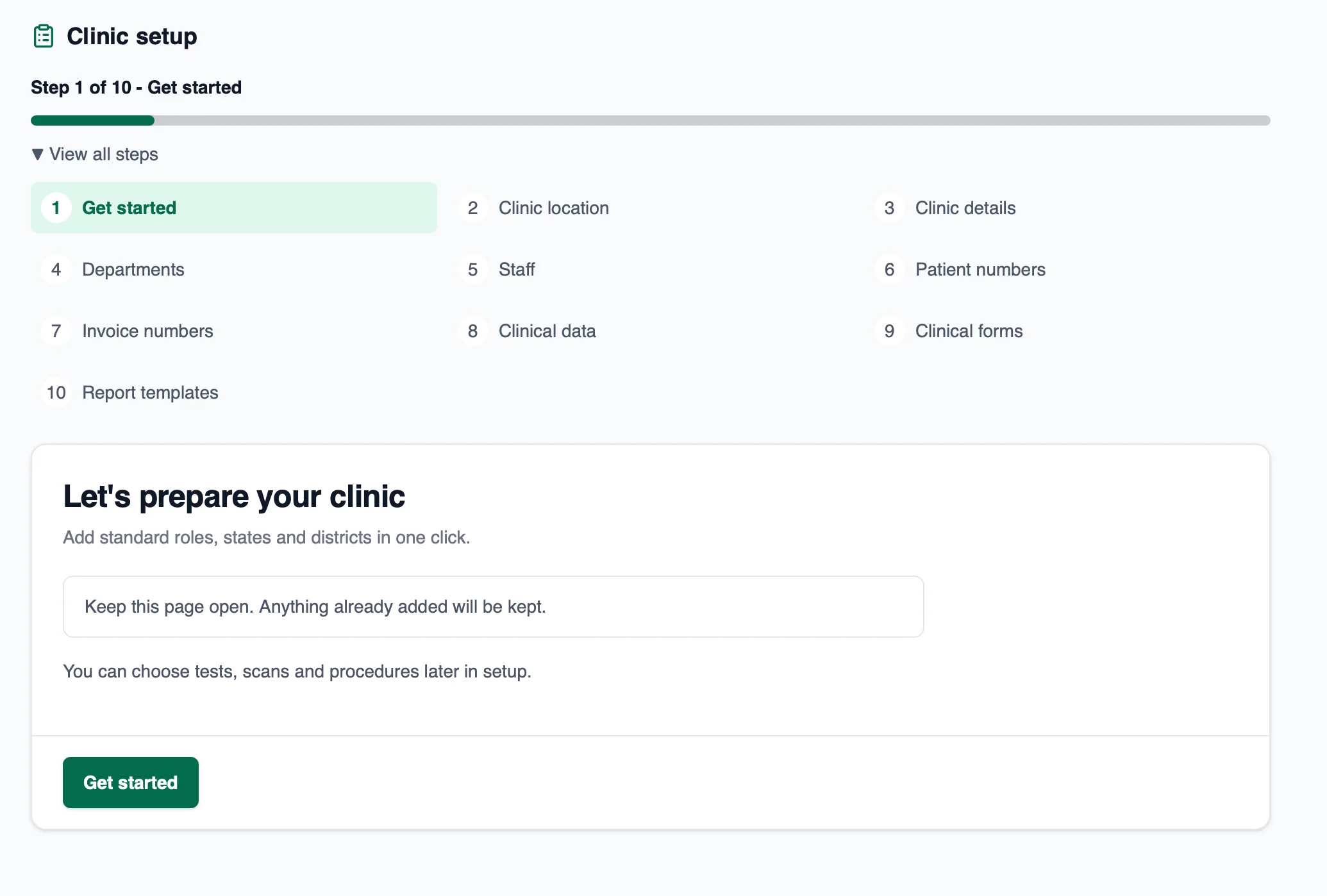
With internet access, open CARE Onboarding in the CARE web app. It guides facility, department, staff, numbering, clinical form and report-template setup before you start seeing patients.
Screenshots show the supplied versions, including earlier CARE Desktop branding. The review image has its personal backup path redacted. The onboarding image shows the start of setup, not a completed clinic.
The full source is on GitHub under the MIT licence. Read it, change it, keep running it. That is also why the software is free. There is no licence to sell.
A Go and Wails desktop app with a React interface drives a Docker Compose stack: the Care backend and its workers, the Care web app, PostgreSQL, Redis, Silo for files, and Caddy with the Coraza web application firewall as the HTTPS front door. Both Care images are built on the clinic’s own computer from configured sources, with resolved commits recorded per build. Configured branches can track upstream updates; they are not fixed release-wide pins. Installer signing varies by platform.
| Comparison | CARE Clinic | CARE, partner-deployed |
|---|---|---|
| Best for | One small clinic on one computer | Clinic networks, hospitals and programmes across sites |
| Where it runs | Your clinic’s own computer | Cloud, on-premise or hybrid, run with an implementation partner |
| Software price | ₹0, MIT licence | Open source; deployment, hosting and support arranged with a partner |
| Internet | For setup, updates, hosted plugins and online services; local care needs the running host and LAN | Depends on deployment: cloud access needs internet; on-premise workflows may use a local network |
| Team access | Staff computers, phones and tablets on the clinic network | Devices and remote access depend on deployment, network and access controls |
| Backups | Encrypted backups every 24 hours while the service runs, on accessible storage you choose | Managed by the deployment |
| Get started | Choose your installer | Start a deployment conversation |
Yes. The CARE Clinic software is free to download and use under the MIT licence. There is no software subscription, no licence fee and no trial period that ends.
CARE is built as open-source healthcare infrastructure. Open Healthcare Network Foundation releases CARE Clinic under the MIT licence so clinics and their technical partners can use and adapt the software without buying a licence.
A suitable computer, backup storage, installation help, support and external services such as SMS or email may cost money. Those costs are separate from the software. Check the terms and prices of any service you choose to add.
The clinic database and files are stored on the computer that hosts CARE Clinic, and backups go to the location you choose. Your clinic manages access and backups. Services you switch on, such as SMS or email, send information to the provider you configured, so review each one before using it.
No. Open source refers to the software’s code, which anyone can read on GitHub. Your clinic’s patient records stay on your clinic’s computer, and your clinic still needs to set up access properly and protect its computers, network and backups.
Yes. One computer hosts the clinic, and other staff computers connect over the clinic’s local network using CARE Clinic in client mode. Phones and tablets connect through a setup page on the clinic network and complete certificate trust. There is no per-user licence fee; capacity depends on the host computer, network and configuration.
Core workflows run without internet after setup while the host is awake, running CARE and reachable over the clinic network. Staff devices are not independent offline replicas. Installation, updates, hosted plugins and configured online services need internet.
The host computer runs Windows 64-bit or macOS (Apple Silicon or Intel). Staff computers run the same app in client mode on Windows or macOS, and phones and tablets connect through a browser on the clinic network.
The Mac and Windows buttons use JavaScript and the public GitHub API to request the matching latest installer. If the API is unavailable, JavaScript is disabled or the browser blocks the download, use “Download from GitHub releases” beside the buttons and select the installer there.
Your clinic or its technical partner. Encrypted backups run every 24 hours while the backup service runs and the destination is accessible, not at a fixed time of night. Keep backups and the private PEM recovery file safely off-device, separately from each other, and test a restore. Admin reset codes cannot decrypt backups.
Local access to the database, open-source code and your own backups give your clinic control over its system. Moving records into a different product is a separate migration task that depends on the formats and workflows involved.
CARE Clinic packages the open-source CARE platform for a single clinic computer. Partner-managed CARE deployments also serve hospitals and community-care programmes. CARE Clinic brings the platform to a small clinic without a hosted account or a software licence fee; available workflows depend on configuration.
CARE Clinic itself has no telemetry, analytics or crash reporting. It makes installation downloads and automatic update checks. Dependencies, hosted frontend plugins and configured online providers have separate network activity and privacy policies; this is not a no-telemetry promise for the entire stack.
Yes, in the sense that it covers outpatient clinic work: registration, appointments, consultations, prescriptions and billing. It is built for a small clinic running on one computer. Hospitals with wards and multiple departments should look at the hosted Care platform.
Plugins extend CARE. The updated source catalog contains CARE Onboarding only, enabled by default for new clinics and loaded from an internet host. The latest published release checked on 4 October 2026, v0.1.9, still has the older catalog. Previously saved and custom plugins are preserved, not automatically uninstalled. A technical partner can configure compatible plugins and their required dependencies or services.
Updates separates CARE backend/frontend builds from CARE Clinic application releases. CARE builds follow configured source branches: Install now may interrupt staff; Later queues the prepared update for the next clinic start. App updates can leave CARE running and may open an OS installer. The plugin catalog ships with the app; after an upgrade, catalog source changes reach saved plugins on their next Save and apply. Staff browsers fetch hosted plugin bundles separately.
Get CARE Clinic for your clinic.
If JavaScript, the GitHub API or your browser’s download handoff is unavailable, use the release-page link to choose an installer.
CARE Clinic is released under the MIT licence by Open Healthcare Network Foundation. The software is free; hardware, support and external services may involve separate costs. Internet is needed for installation, updates, hosted plugins and connected services.